
To provide more details we did this in 2 steps. First we created a still A.I image using the Text to Image program at FlexClip.
We provide details of what the photo or image created should be....
Curvy and busty woman. Dressed in shiny bathing suit. She has red hair and is lounging in a chair by the pool. Next to her is a small table with drinks on it. The picture is taken from a few feet away. We can see the large umbrella providing shade for her.
Which created this picture image:
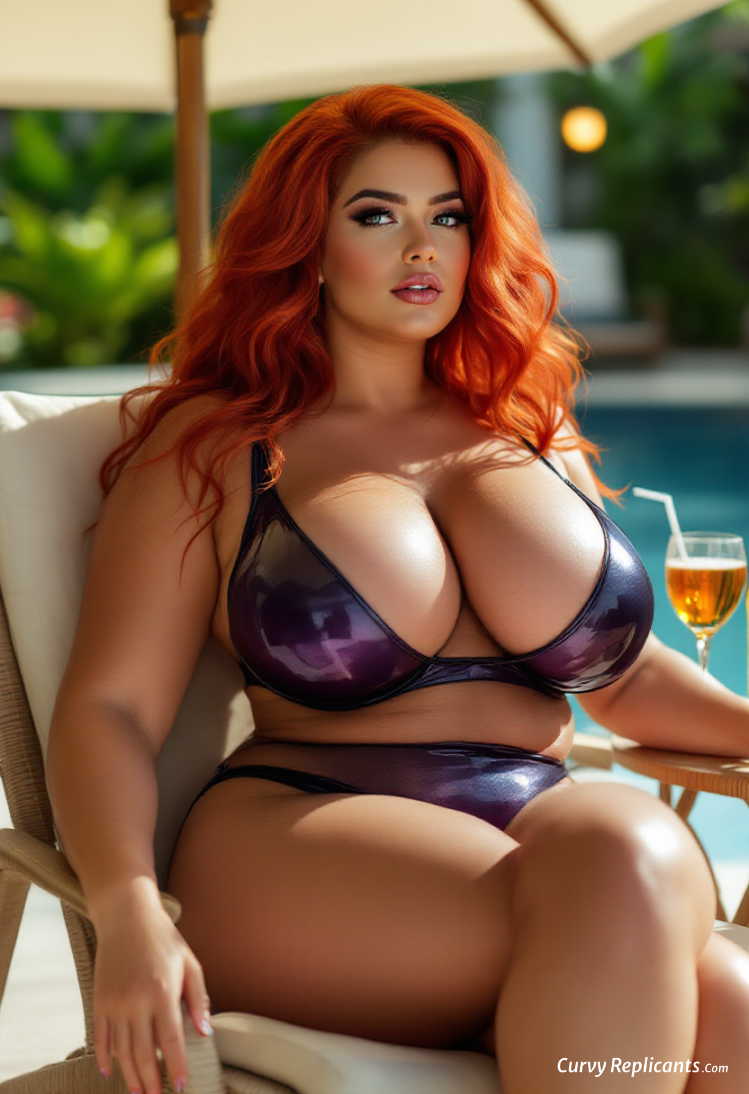
Then we used Flex Clips Video Generator to turn that still image into a moving video. Now the clips produces are short 5 or 10 second clips.
The whole Flex Clip idea is to create longer promotional videos with text or voice over content. If you notice many commercials or promo videos are really a collection of 5-6 second images and clips with someone speaking over the clipped together imagery.
SO MOVING ON:
Taking that still image, we added some new instructions or prompts.
"Model turns her head slightly, to look away. She does not move her hands. There is a slight breeze that moves her hair."
Which the FlexClip A.I. turned into this: